
AI Tennis Coaching IRL — Part 1
There’s no shortage of sports AI apps promising the same insight as a human coach. Maybe better. Certainly cheaper. Likely faster.
Some of these tools work well when the camera is steady and the action is easy to see. At a junior tennis match, you take the angle you can get.
Tennis is a particularly unforgiving example. We’ve spent the past year finding out why.
We’ve built a functional AI tennis coach designed for amateur match conditions: short, handheld recordings taken by a parent or friend, with imperfect angles and sometimes a fence in the way. The sort of footage people can actually capture when they don’t have a broadcast crew.
So how good is it? Pretty good, at times. Consistently good enough that we’re comfortable asking players to act on its advice? We’re not there. That’s difficult to say after the effort we’ve put into it, but the distinction matters.
Between the challenges specific to tennis, the conditions at amateur matches, and the limitations of current models, we haven’t reached a quality bar we consider adequate. That gap, and what we’ve learned trying to close it, is the subject of this series.
As we wrap up this phase of the project, we’re sharing what we tried, what worked, and what didn’t. We hope it saves others some time and gives people a clearer view of the team and work behind TNNS HEAD.
We’re also choosing to pause further development. Given the pace of AI change, continuing to grind through the current limitations makes less sense than waiting for better models. For us, the work still needed to make the coaching dependable was hard to justify.
We still want to solve this problem. For now, we’re comfortable sharing what we learned and taking another run at it when the models give us a meaningful reason to.
The tennis your coach doesn’t see
A tennis coach can see a lot in a lesson. They can spot a late preparation, work on a serve, or help a player get comfortable coming to the net. What they often don’t see is what happens to all of that work when the player enters a tournament.
If you’ve ever practiced a presentation until you could deliver it in your sleep, then stood up in front of an audience and promptly forgotten the opening, you know the difference. Preparation matters, but knowing how to do something and being able to do it when the outcome matters are two very different things.
Tennis is especially good at exposing the difference. The serve that worked beautifully on Thursday becomes unreliable in Saturday’s match. A player who comfortably attacks a short ball in practice gets tentative when they have a chance to close out a set. The opponent, the score, the nerves… all of it influences what actually happens on court.
For a coach trying to help a player improve, these are often the most useful moments to see. Unfortunately, they’re also among the hardest to get in front of them.
For most junior players, having their coach attend tournaments isn’t a routine option. There’s the cost of the coach’s time, potentially travel, and the fact that a tournament can consume a considerable chunk of a weekend. Coaches also spend most of their working lives on a tennis court. Wanting a weekend somewhere else seems reasonable.
So the practical alternative is often some version of: “Send me a few clips.”
Everyone has a camera. Now what?
Most junior tournaments, and much of competitive tennis below the professional level, don’t have mounted cameras recording matches. If you want footage, you’re responsible for getting it.
The obvious answer is to mount your phone and record. Camera mounts aren’t particularly expensive. How hard can this be?
First, you’re recording another person as well as your own player. In junior tennis, that means pointing a camera at someone else’s child for an hour or more. Your intentions may be entirely about coaching, but the other family doesn’t know you and may find the whole thing intrusive. You have to ask, and you can’t assume the answer will be yes. The tournament director or facility may have objections too.
Then there’s the setup. Courts are often assigned when the match is called, leaving little opportunity to prepare. You arrive and discover whether there’s somewhere to mount the phone and whether the angle is useful. You’re also giving up your phone for the match, assuming the battery lasts that long.
Suppose all of this works. You now have an hour or more of footage to review.
A lot of it is dead time. Your coach doesn’t need to watch players collect balls and change ends. Someone has to find the useful parts, and choosing them already requires some understanding of what matters. A spectacular winner may be fun to share; several ordinary points might tell the coach considerably more about what needs work.
Getting a recording and getting something useful out of it are two separate jobs.
Working with the video people can actually take
Our approach starts with short, handheld recordings taken by a parent or friend: five seconds to five minutes of real tennis, captured on a reasonably current iPhone from somewhere a person would reasonably stand to watch.
The angle might be mediocre. There might be a fence in the way—an ordinary fence, not a shade screen you can barely see through. A side view might include a court and a half, along with some action from the neighboring match that nobody asked to analyze.
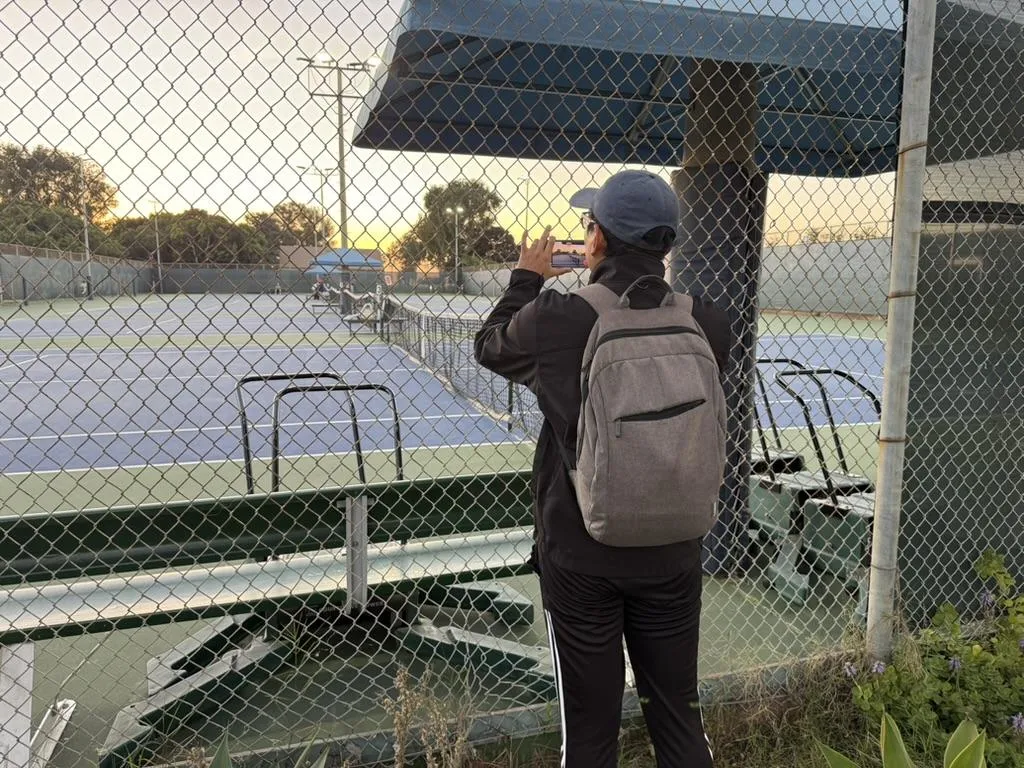
The tennis parent capturing video of their kid in their native habitat: behind the fence, at a distance, with the sun setting.
The person holding the phone is there to watch someone play tennis, not produce a broadcast. These are the conditions we need to handle.
For some feedback, like how a player prepares for a forehand, a clear view of that player can be enough. To explain why the player got pulled wide in a point, it helps to see what the opponent did. Even from the generally preferable baseline angle, the opponent is often a small figure at the far end of the court. Match play is the primary use case, but someone recording drills or a particular shot they’re trying to improve should be able to use it too.
The coaching ambition is broader than identifying a flaw in a forehand or offering a few tactical observations. We want to provide the kind of assessment a good human coach would give about how someone played and what they should work on next, at a price that makes it practical to use routinely. The breadth of that assessment will necessarily depend on what the footage shows.
Timing matters too. A player may be ready to learn from a match that afternoon. Their next lesson might be Thursday. Useful feedback shouldn’t always depend on paying for another session and getting in front of a coach when schedules permit.
Human coaches remain an essential part of player development. We want to make feedback available during the considerable amount of time when they aren’t there.
Where we landed
We’ve built the complete flow from recording to coaching feedback. It works, but producing feedback and producing feedback consistently good enough that a player should act on it are considerably different standards.
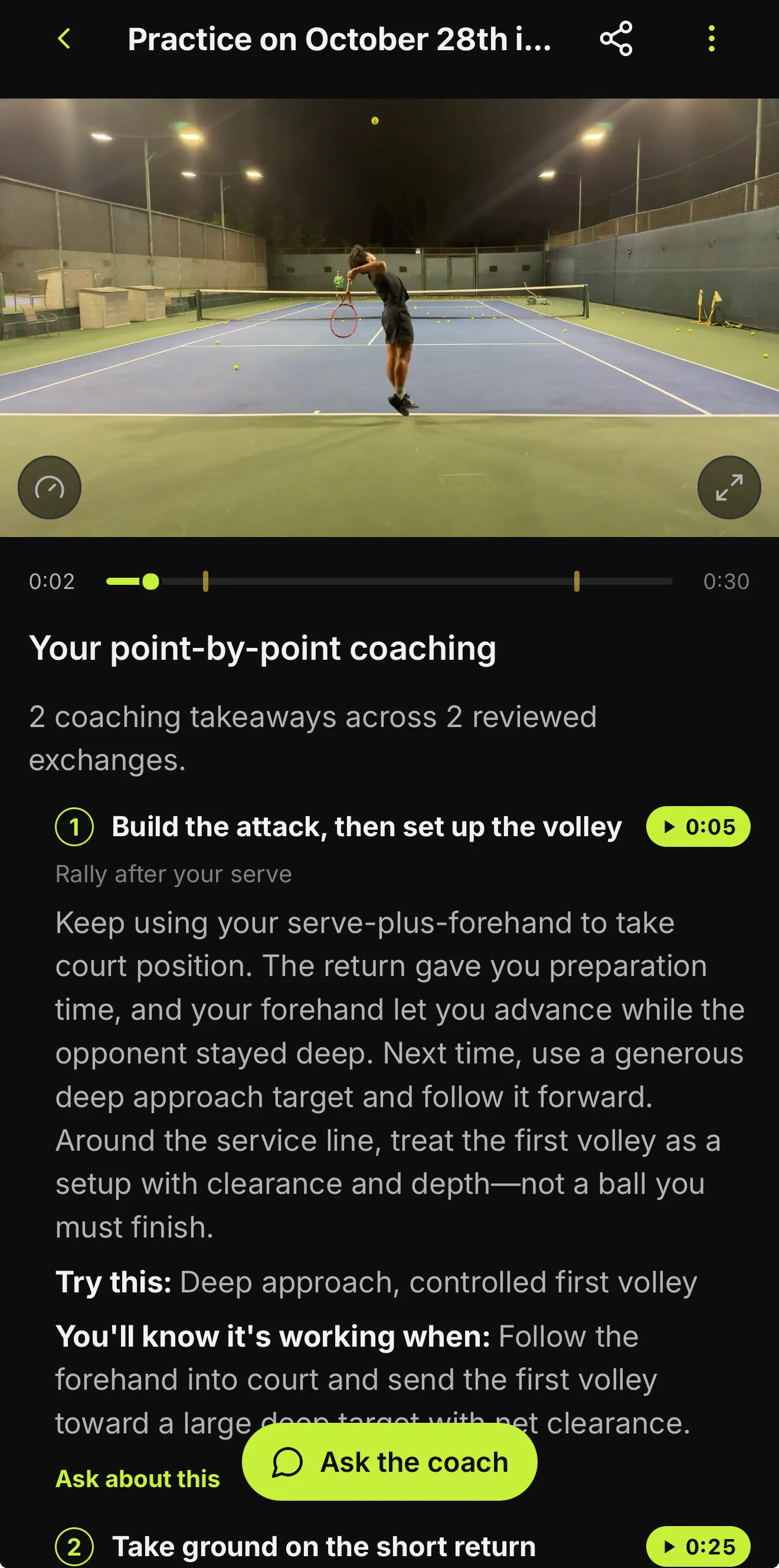
Actual TNNS HEAD output from a practice clip: point-by-point coaching linked to moments in the video. Tap the image to view it at full size.
We haven’t reached that standard. The models remain heavily constrained in what they can reliably understand from this footage, even when combined with conventional computer vision. Those limits have shaped both what we’ve built and what we’re comfortable claiming it can do.
AI video coaching is a lab feature available by request only, and we plan to keep it that way.
Continue to Part 2: Side Quest → Epic Adventure—how we started building the system, what we learned from SPI, and why we decided to become mobile developers.